
📱 Apple & Google Wallet Ticket Support
Attendees can now easily add their tickets to Apple Wallet or Google Wallet right after purchase or from their email. This gives your fans a more convenient, mobile-first experience — no more digging through emails or printing tickets.

📲 How It Works
From the Confirmation Page:
After purchasing a ticket, attendees will see the Add to Apple Wallet and Add to Google Wallet buttons on the confirmation screen.
From the Ticket Delivery Email:
Their email receipt includes buttons to save tickets directly to their mobile wallet.
🚀 Why It Matters
- Convenience: Attendees always have their ticket on hand in their phone’s wallet app.
- Faster Entry: No searching inboxes or printing, simply scan.
- Enhanced Experience: Offering modern tools makes your event feel more polished and professional.
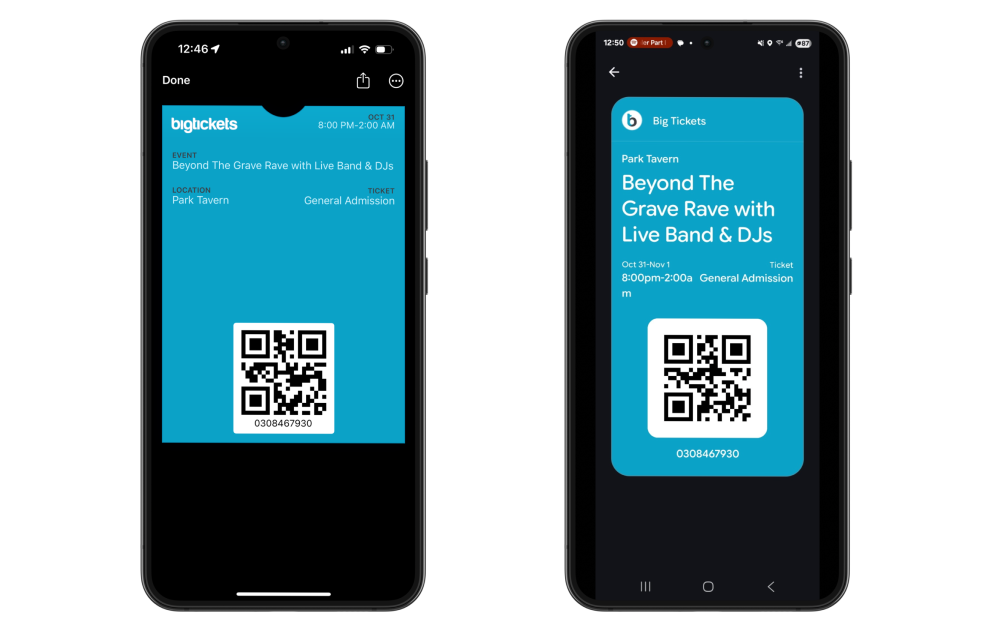
Wallet Examples for both Apple and Google
⚙️ No Setup Required
You don’t need to do anything to enable this feature. It's automatically included on all ticket purchases across the platform.